Category: Uncategorized

  • Power-Ready Security for Metro Manila Homes and Offices: Keeping Protection Online When It Matters Most

    Power-Ready Security for Metro Manila Homes and Offices: Keeping Protection Online When It Matters Most

    Security is only valuable when it keeps working in the exact moments people depend on it: late-night arrivals, courier handovers, rainy-season disruptions, building maintenance, short power interruptions, and busy operating hours. For Metro Manila homes, condos, offices, and retail spaces, the strongest security plan in 2026 is not simply adding more cameras or locks. It is building a reliable, power-ready security layer that protects people, assets, access points, and daily operations even when conditions are less than ideal.

    Quick Summary: What Decision-Makers Should Prioritize

    • Continuity matters: CCTV, access control, alarms, and network equipment should remain usable during short outages and unstable conditions.
    • Security affects operations: Visitor access, deliveries, staff entry, parking gates, and incident review all depend on dependable systems.
    • Reliability is designed: Good placement, backup power, secure cabling, storage planning, and maintenance schedules reduce blind spots and downtime.
    • Philippine properties need practical setups: Solutions should match local layouts, condo rules, retail hours, weather exposure, and real user behavior.

    Why Security Reliability Matters Now

    Homes and workplaces in Metro Manila have become more connected and more operationally demanding. Families receive regular deliveries, condo lobbies manage visitors throughout the day, small offices handle hybrid work schedules, and retail shops often operate with lean staffing. At the same time, decision-makers must plan around traffic delays, changing weather, occasional power fluctuations, and higher expectations from residents, employees, and customers.

    In this environment, security cannot be treated as a passive installation. A camera that records only when the network is stable, a door access reader that fails during a short outage, or a recorder with insufficient storage may create a false sense of safety. The practical question is no longer “Do we have CCTV?” but “Will our security system remain useful when an incident, interruption, or access issue happens?”

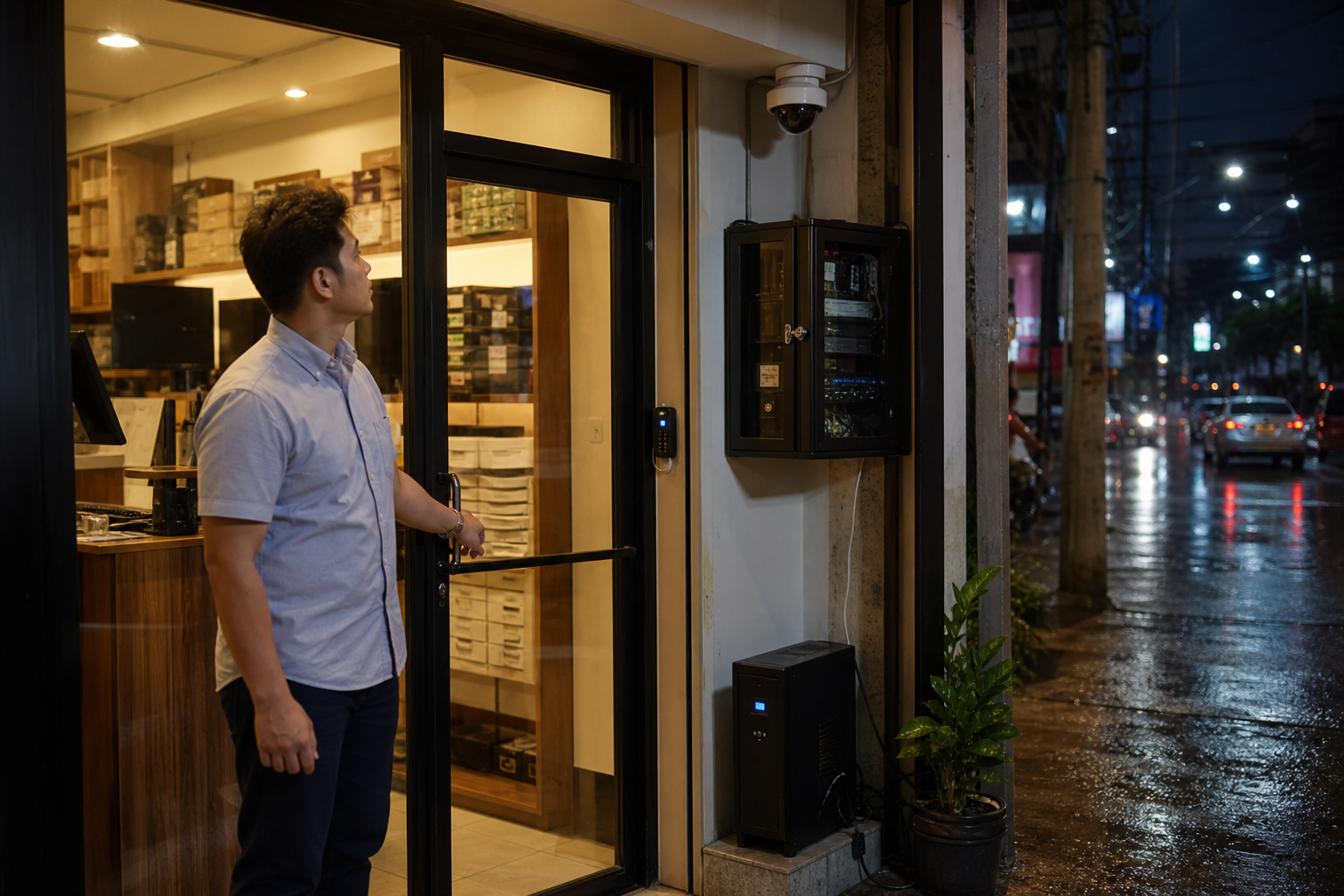
    Metro Manila small office entrance with CCTV, access reader, and backup power for reliable security during rainy weather
    A power-ready security setup helps small offices and retail sites keep cameras, access control, and network devices available during real operating conditions.

    Reliable Security Protects More Than Property

    For homeowners and families, reliable security provides peace of mind: knowing who entered, what happened near the gate, and whether vulnerable areas are monitored. For office managers and business owners, it supports accountability, attendance coordination, after-hours access, asset protection, and faster incident response. For property managers, it helps standardize visitor handling, reduce disputes, and maintain resident confidence.

    The value is especially clear when a routine activity becomes a risk point. A courier arrives while the homeowner is away. A staff member needs controlled access outside standard hours. A tenant reports a missing package. A customer incident happens near a retail entrance. A gate or lobby becomes congested during rain. In each case, the quality of the security system depends on coverage, uptime, timestamps, access logs, and the ability to review footage quickly.

    The Core Components of Power-Ready Protection

    1. CCTV coverage with practical visibility

    Effective CCTV design begins with the places where decisions happen: entrances, receiving areas, counters, parking access, hallways, gates, and storage points. Cameras should be positioned to capture useful faces, actions, and movement paths, not just wide decorative views. For outdoor or semi-outdoor Philippine settings, weather-resistant placement and proper lighting are just as important as camera resolution.

    2. Access control that fits daily routines

    Smart locks, card readers, biometric readers, or keypad access systems should match how people actually enter the space. A condo unit, small office, warehouse room, or clinic reception area may each require a different approach. The goal is to reduce unauthorized access while keeping entry convenient for approved users. For businesses, logs can also help management understand who accessed sensitive areas and when.

    3. Backup power for security essentials

    Short power interruptions can create security gaps if cameras, routers, network switches, recorders, and access devices shut down immediately. A practical setup identifies which devices are mission-critical and supports them with correctly sized backup power. This does not mean every device needs to run all day on backup; it means the most important security functions remain available long enough to bridge interruptions, record events, and avoid abrupt system failure.

    4. Storage and remote access that support review

    Footage is only useful if it can be found when needed. Homes and offices should plan retention based on realistic risk: delivery disputes, staff schedules, incident reporting timelines, and compliance requirements. Remote viewing should be configured securely, with strong passwords, controlled user access, and proper network setup. Convenience should not come at the expense of exposing cameras or recorders to unnecessary cyber risk.

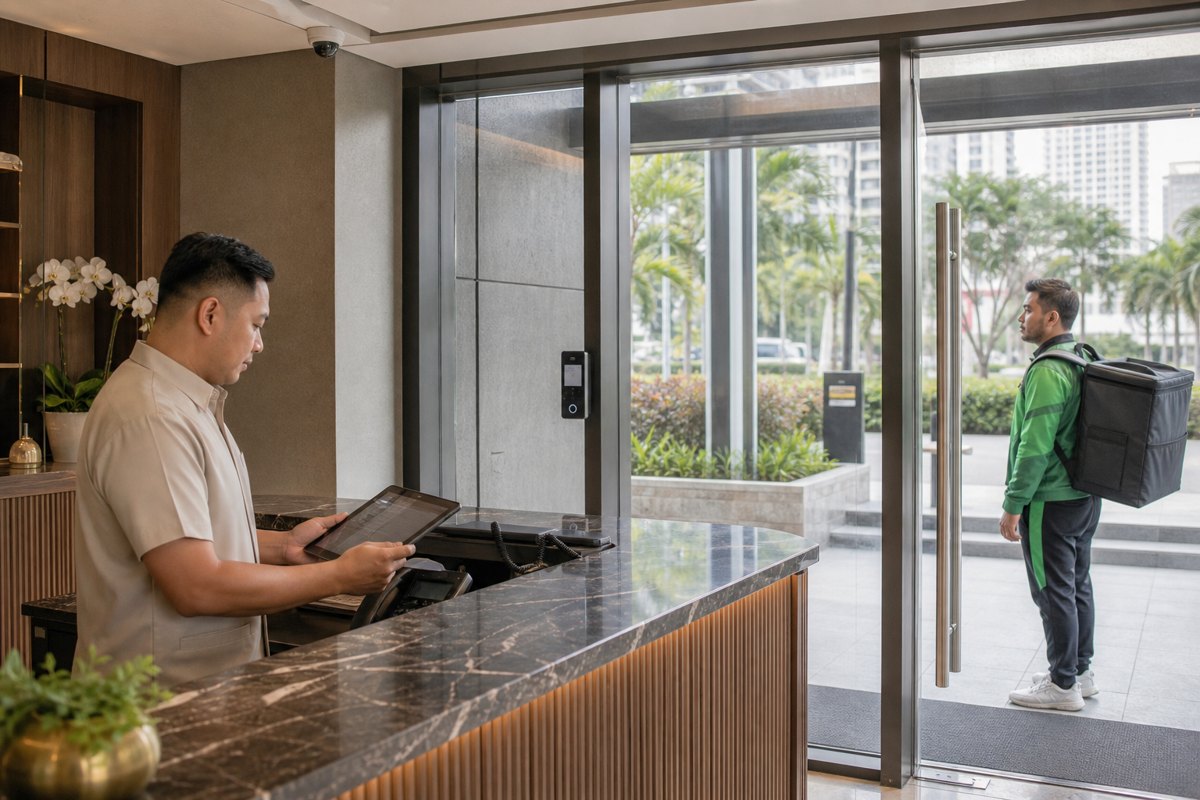
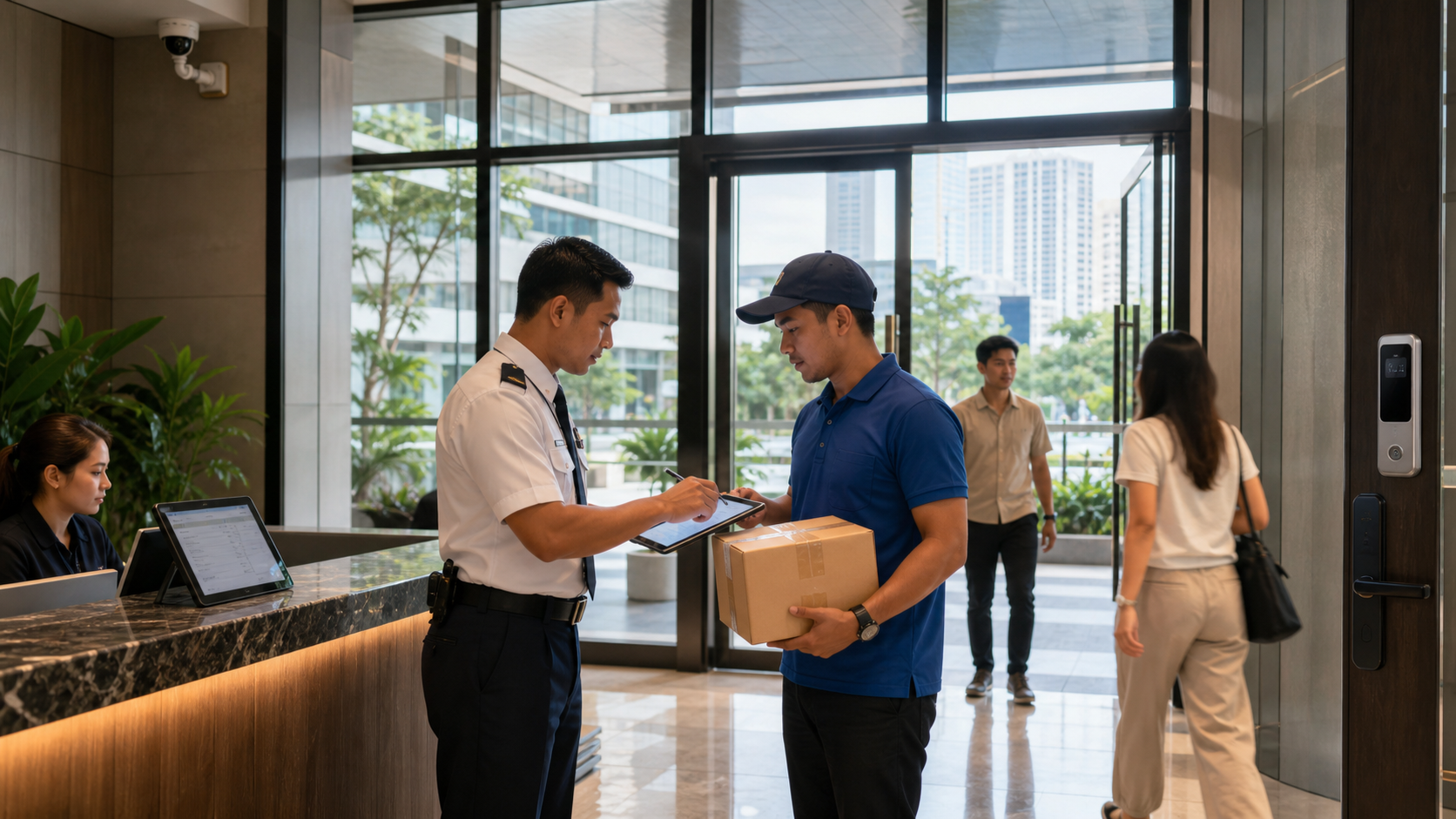
    Philippine condo lobby security guard verifying a delivery with CCTV and smart access control
    Visitor management, delivery verification, and controlled entry are everyday reasons condos and offices need dependable security systems.

    How Reliability Supports Business Continuity

    For companies, security reliability directly affects continuity. A retail shop that cannot review an incident may lose time resolving disputes. An office with weak after-hours control may expose equipment or records to unnecessary risk. A property manager without consistent lobby footage may struggle to answer resident complaints. When security tools fail, management often spends more time reconstructing events, checking manual logs, and handling avoidable uncertainty.

    A dependable security system reduces that uncertainty. It allows teams to respond based on evidence, maintain operations with fewer interruptions, and communicate clearly with staff, tenants, customers, or family members. It also supports insurance documentation and internal investigations when incidents occur.

    Decision Guide: What to Check Before Upgrading

    Map the critical zones.
    List entrances, gates, counters, stockrooms, parking points, delivery areas, and common paths where incidents or access questions are most likely.
    Identify uptime requirements.
    Decide which devices must remain online during short interruptions: cameras, NVR/DVR, router, switch, access reader, alarm, or intercom.
    Review recording quality and retention.
    Check whether footage is clear enough for identification and stored long enough for realistic review cycles.
    Secure remote access.
    Avoid default passwords, uncontrolled account sharing, and exposed devices. Use properly configured access for owners, managers, and authorized staff.
    Plan maintenance.
    Schedule camera cleaning, angle checks, firmware review, battery/UPS testing, and storage health checks before failures become urgent.

    What a Practical Security Upgrade Looks Like

    A homeowner may begin with a gate camera, video doorbell, smart lock, and backup-supported internet device for essential alerts. A condo or townhouse property may prioritize lobby cameras, visitor logging, elevator or hallway coverage, and clear delivery procedures. A small office may combine access control, CCTV, network video recording, and backup power for the router and recorder. A retail site may focus on entrance coverage, cashier visibility, stockroom access, and after-hours alerts.

    The best solution is not necessarily the most complicated one. It is the setup that fits the site, keeps working under normal stress, and gives owners or managers the information they need at the right time.

    Build Reliable Security with Infotouch

    Infotouch helps homeowners, office managers, property teams, and business owners plan practical security and safety solutions for real Philippine environments. If you are reviewing CCTV coverage, access control, smart locks, visitor handling, backup power, or integrated protection for a home, condo, office, or retail site, our team can help you design a setup that is reliable, manageable, and aligned with your daily operations.

    Talk to Infotouch about your security needs

  • Shared EV Charging Is Becoming a Property Amenity: Practical Planning for Metro Manila Condos, Offices, and Retail Sites

    Shared EV Charging Is Becoming a Property Amenity: Practical Planning for Metro Manila Condos, Offices, and Retail Sites

    Shared electric-vehicle charging is moving from a “nice to have” feature to a practical property amenity. In Metro Manila, condominium parking, office buildings, retail strips, and mixed-use developments all compete on convenience. The ability to support EV owners can influence tenant satisfaction, workplace readiness, customer experience, and long-term property value.

    Quick Summary: What Decision-Makers Should Know

    • EV charging is now a property planning issue. Homes, offices, condos, and commercial sites need policies, electrical capacity checks, and safe installation planning.
    • Shared charging works best when it is managed. Access rules, schedules, billing arrangements, cable safety, and accountability prevent conflicts.
    • Reliable infrastructure protects operations. A poorly planned charger can create parking complaints and maintenance headaches; a properly planned one becomes a useful amenity.
    • Metro Manila properties can start small. Many sites can begin with one or two well-positioned charging bays while planning for future expansion.
    Filipino property manager discussing shared EV charging with a family in a Metro Manila condo parking area.
    A property manager explains how shared EV charging can be planned for residents, visitors, and building operations.

    Why Shared EV Charging Matters Now

    EV adoption is no longer limited to early adopters. More families are considering lower running costs, companies are studying fleet expenses, and property owners are looking for visible upgrades that make buildings feel current. Public charging infrastructure is also expanding across major urban centers and travel corridors, making everyday EV use more practical than it was a few years ago.

    For property decision-makers, the important shift is this: charging convenience increasingly happens where people already spend time. A resident wants to plug in overnight. An employee wants dependable charging during office hours. A customer may choose a retail location where parking is easier and charging is available. A business owner may want to reduce fuel exposure for service vehicles.

    In dense Metro Manila locations, shared charging requires thoughtful coordination. Parking slots are limited, electrical rooms may already support heavy building loads, and residents or tenants may have different expectations about fairness. Strong EV charging projects begin with property planning, not merely buying a charger.

    The Business Case for Condominiums and Residential Communities

    For condominium corporations, developers, and property managers, EV charging can support resident retention and future readiness. A building does not need to convert an entire basement into a charging hub immediately. It does need a responsible path for owners who ask, “Where can I charge safely?”

    Without a plan, residents may attempt informal charging arrangements that are unsafe, unfair, or difficult to monitor. Extension cords, ad hoc outlets, unclear meter use, and disputes over shared electricity can create avoidable risk. A managed charging area helps the property maintain control over safety, access, cost recovery, and maintenance.

    A practical condo approach starts with three questions: where can charging happen without blocking traffic flow; how will electricity usage be measured or recovered; and what rules define who can use the charger and for how long? Clear answers protect both the EV owner and the wider community.

    Why Offices and Workplaces Should Pay Attention

    Workplace charging can improve employee experience and support business mobility. A company does not need a large EV fleet to benefit from charging readiness. Even one charger can be useful for executives, staff, visitors, or shared company vehicles, especially when paired with clear scheduling rules.

    For office managers and facility teams, the main advantage is predictability. Employees spend long, stable hours at the workplace, which can make slower, more economical charging practical. Instead of relying only on public fast charging, users can top up during the workday while the site controls who has access and when.

    For businesses studying operating costs, EVs can reduce exposure to fuel-price volatility and simplify routine-use cases. Delivery, field service, sales visits, and administrative errands often follow repeatable routes. When charging is available at the office, those vehicles can start the day ready, supporting punctuality and reducing unplanned stops.

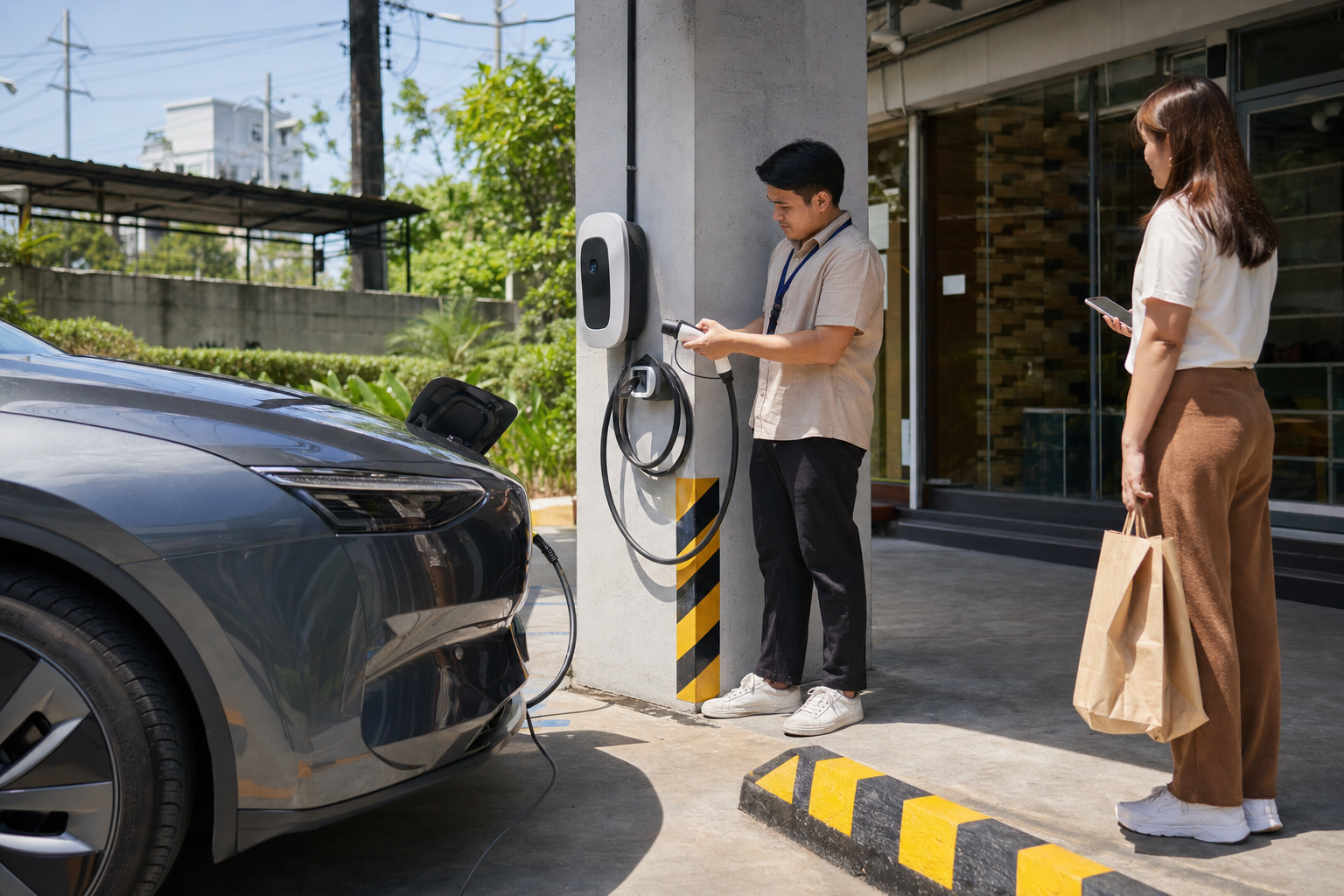
    EV charging bay at a Philippine small office or retail property with staff checking safe cable use.
    For offices and retail sites, a well-managed charging bay can support employees, customers, and daily operations without disrupting parking flow.

    Retail and Small Business Sites Can Use Charging as a Convenience Feature

    For retail shops, clinics, service centers, cafes, and small commercial properties, charging can become part of the customer experience. It does not have to be positioned as a premium luxury. It can simply be a reason a customer feels the location is practical, organized, and considerate of modern needs.

    A small business property may only need one carefully placed charger, but placement matters. The bay should be easy to identify, safe for pedestrians, protected from accidental cable damage, and monitored enough to discourage misuse. If the charger creates traffic friction or blocks prime customer parking all day, it can become a source of complaints. If it is planned well, it can support longer visits and stronger customer loyalty.

    Retail operators should define whether charging is complimentary, paid, tenant-only, customer-only, or time-limited. The best policy depends on the site’s purpose. A clinic may prioritize patient convenience. A small office compound may prioritize staff and tenant access. A commercial strip may use charging as a shared amenity across several tenants.

    Reliability, Safety, and Management Come Before Expansion

    The most successful charging projects are not necessarily the biggest. They are the ones that keep working, stay safe, and remain easy to manage. Before installing multiple units, property teams should review electrical capacity, breaker protection, cable routing, ventilation, user access, payment or cost-allocation options, and maintenance support.

    Reliability is especially important in shared environments. A charger that is often offline creates frustration. A charging bay occupied by non-EVs creates conflict. A cable across a walkway creates safety exposure. These operational details determine whether the amenity is trusted.

    Decision-makers should also think about future expansion. If the first charger is installed without considering conduit routes, load management, or nearby parking slots, adding a second or third charger later may become unnecessarily expensive. A staged plan allows the property to start with today’s demand while keeping tomorrow’s upgrades realistic.

    Cost Savings and Sustainability Should Be Framed Practically

    EV benefits are strongest when connected to real use patterns. For households, charging at home or within a residential property can reduce dependence on fuel stops and improve daily convenience. For businesses, predictable charging can support route planning and reduce operating uncertainty. For property owners, charging infrastructure can help maintain competitiveness as tenant expectations evolve.

    Sustainability is also more credible when tied to operational choices. A property that installs charging, manages usage responsibly, and supports cleaner mobility can demonstrate visible progress. This is useful for companies with environmental commitments and for buildings that want to attract future-oriented residents and tenants.

    Practical Decision Guide for Property Teams

    Before approving a shared EV charger, review:

    • Demand: How many residents, employees, tenants, customers, or vehicles are likely to use it in the next 12 to 24 months?
    • Location: Can the bay be accessed safely without blocking traffic, walkways, loading areas, or emergency routes?
    • Electrical capacity: Has a qualified professional reviewed load, protection, cabling, and installation requirements?
    • Access rules: Who may use the charger, how long may they stay, and how will misuse be handled?
    • Cost recovery: Will usage be billed, included in dues or rent, paid by the business, or offered as a customer benefit?
    • Monitoring and maintenance: Who checks uptime, physical condition, cable safety, and user issues?
    • Expansion path: Can the first installation support future charging points without major rework?

    Start with a Managed Pilot, Then Scale

    For many Metro Manila properties, the best next step is a pilot. One well-selected charging point can reveal actual usage, peak times, policy issues, and user expectations. It gives the property team data before committing to a larger rollout.

    A pilot should include installation documentation, safety checks, usage rules, communication to residents or tenants, and a maintenance contact. After several months, the property can decide whether to expand, adjust schedules, change billing, or reposition the charging bay.

    This staged approach is useful for condominium boards, family-owned commercial buildings, and small offices that want to be future-ready without overcommitting capital. It shows the site is adapting to EV adoption responsibly, with safety and reliability as priorities.

    Plan EV Charging with Practical Property Operations in Mind

    Infotouch helps homes, offices, retail sites, and property decision-makers think through technology investments that must work reliably in real environments. If your condominium, office, or business property is considering EV charging readiness, start with the right questions: location, safety, access, continuity, and long-term manageability.

    Talk to Infotouch about practical technology planning for your Metro Manila property, from everyday operational needs to future-ready upgrades that support residents, teams, customers, and business continuity.

    Contact Infotouch to discuss your property requirements

  • After-Hours Security for Metro Manila Offices and Retail Shops: Reliable Protection When No One Is On-Site

    After-Hours Security for Metro Manila Offices and Retail Shops: Reliable Protection When No One Is On-Site

    When a shop closes, a clinic finishes its last appointment, or an office floor goes quiet, security does not become less important. In many Metro Manila properties, the highest-risk hours begin after the last staff member leaves: deliveries happen at odd times, visitors try side entrances, parking areas become quieter, and small incidents can go unnoticed until morning. For homeowners, office managers, business owners, and property managers, reliable after-hours protection is now a core operating requirement—not a nice-to-have accessory.

    Quick summary: what decision-makers should prioritize

    • Reliability matters more than gadget count. Cameras, alarms, locks, and access control should work together and stay usable during real conditions.
    • After-hours security protects continuity. Faster detection and better records reduce downtime, disputes, losses, and emergency confusion.
    • Local context matters. Condos, retail strips, mixed-use buildings, and small offices in Metro Manila need practical systems built around people, foot traffic, deliveries, and parking activity.
    • The best setup is easy to manage. Owners and managers need clear alerts, useful footage, simple access permissions, and dependable support.

    Why after-hours security matters now

    Metro Manila businesses are operating in a more flexible environment. Teams work hybrid schedules, retail shops extend hours during peak seasons, property managers coordinate contractors after office hours, and families rely on deliveries even when no one is available at the gate. These changes create convenience, but they also create more moments when access must be controlled and activity must be verified.

    Traditional security plans often focus on daytime visibility: a guard at the lobby, staff watching the door, or managers handling issues as they happen. After-hours conditions are different. Fewer people are present, lighting changes, response times can be slower, and a minor problem can become an expensive disruption by the next business day. A forced door, missing inventory, unauthorized parking access, or unresolved alarm can affect tenants, customers, staff confidence, and insurance documentation.

    Reliable after-hours security gives decision-makers a way to reduce uncertainty. It does not only record what happened; it helps prevent incidents, confirm who entered a space, guide responders, and keep operations moving with less guesswork.

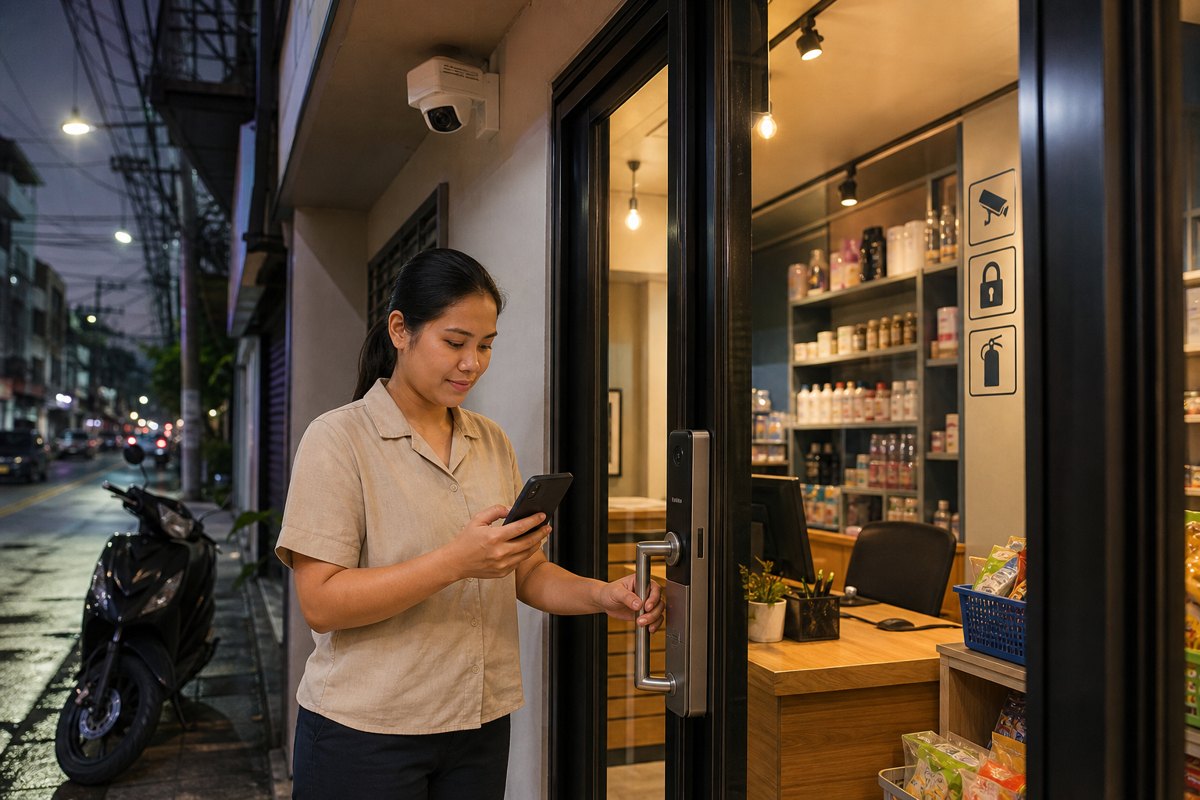
    After-hours Metro Manila retail shop with CCTV camera, smart lock, and secured storefront.
    Reliable after-hours security combines visible deterrence, controlled access, and clear monitoring for shops and offices.

    Reliability is the real measure of protection

    Many properties already have some form of security equipment. The question is whether the system remains dependable when it is actually needed. A camera with poor night visibility, an alarm no one receives, a lock shared by too many people, or footage that is difficult to retrieve can leave owners exposed despite having “security” installed.

    For after-hours protection, reliability has several practical meanings. The system should capture useful detail at entrances, counters, corridors, parking spaces, stock rooms, and other sensitive areas. It should provide stable recording and backup options. It should allow authorized people to check events without relying on one person’s phone. It should make access permissions easy to update when staff, tenants, cleaners, guards, or contractors change.

    Most importantly, the system should fit the property’s real operating pattern. A small retail shop may need strong storefront coverage, smart access for owners, and clear alarm notification. A condo office may need visitor access logs, elevator or door entry control, and camera coverage for common areas. A warehouse office may need perimeter visibility, delivery-zone monitoring, and evidence-quality footage for claims or investigations.

    What strong after-hours security looks like in practice

    A practical setup is usually a combination of layered controls rather than one device. Each layer reduces a different risk and supports the others.

    1. Clear visibility at priority areas

    CCTV should be positioned where decisions are made: main entrances, secondary doors, cash or reception areas, hallways, gates, parking zones, and loading points. For after-hours use, night performance, glare control, and camera angle matter as much as resolution. Footage should show faces, activity, and context—not just movement in the distance.

    2. Access control that can be managed quickly

    Keys are hard to audit and easy to duplicate. Smart locks, keypads, cards, or access systems help owners and managers assign, revoke, or time-limit entry. This is especially valuable for cleaners, maintenance teams, security staff, delivery coordination, and tenants who need controlled access outside normal hours.

    3. Alerts that reach the right people

    An alarm is only useful if someone can act on it. After-hours alerts should be routed to responsible owners, managers, or security personnel with enough information to decide what to do next. A clear notification, paired with camera verification, prevents both panic and neglect.

    4. Records that support investigation and accountability

    When an incident occurs, managers need more than a verbal report. Useful logs and retrievable footage help establish timelines, validate access, resolve tenant concerns, and support police reports or insurance discussions. Good records also discourage misuse because people know access and activity are accountable.

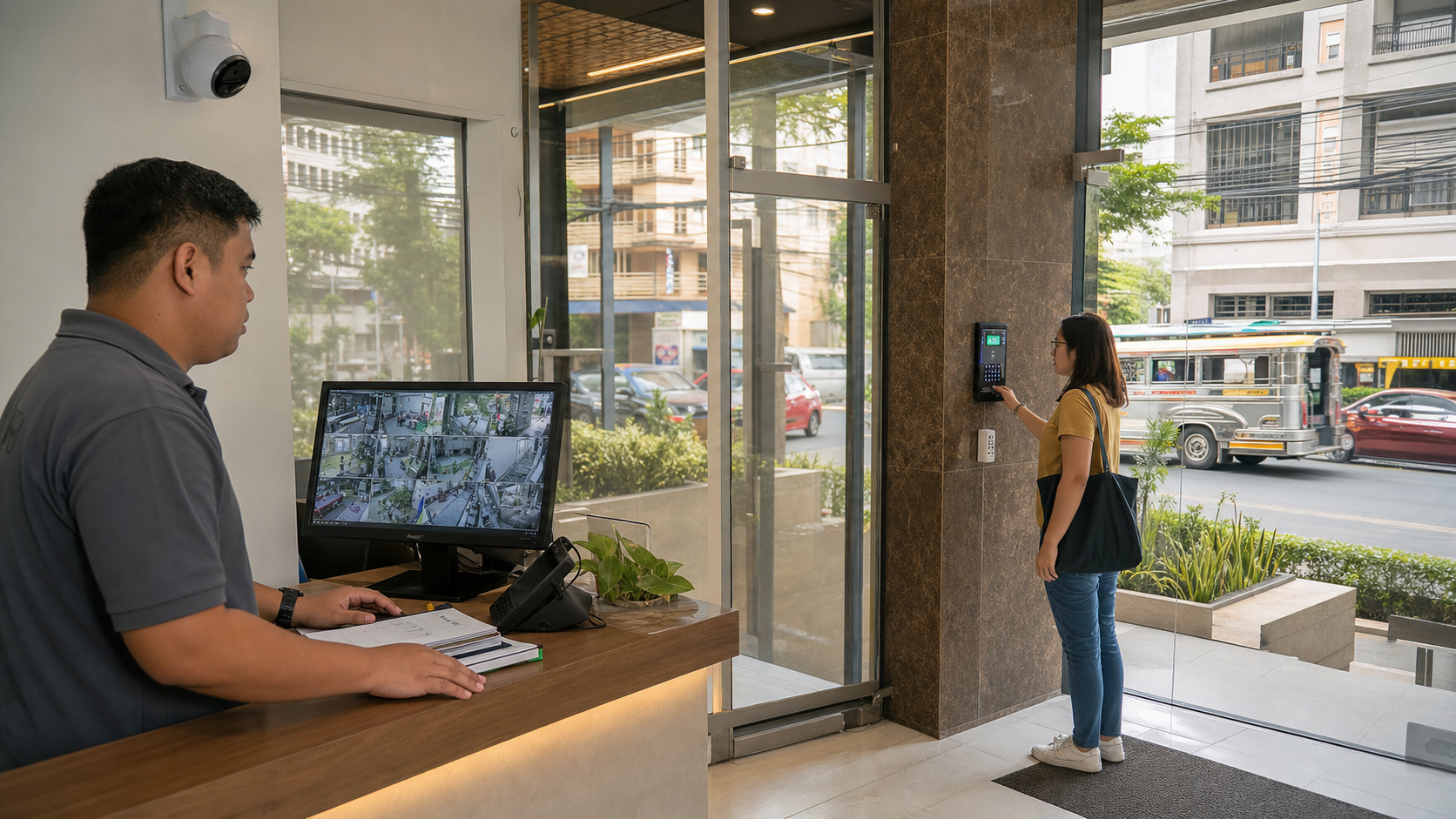
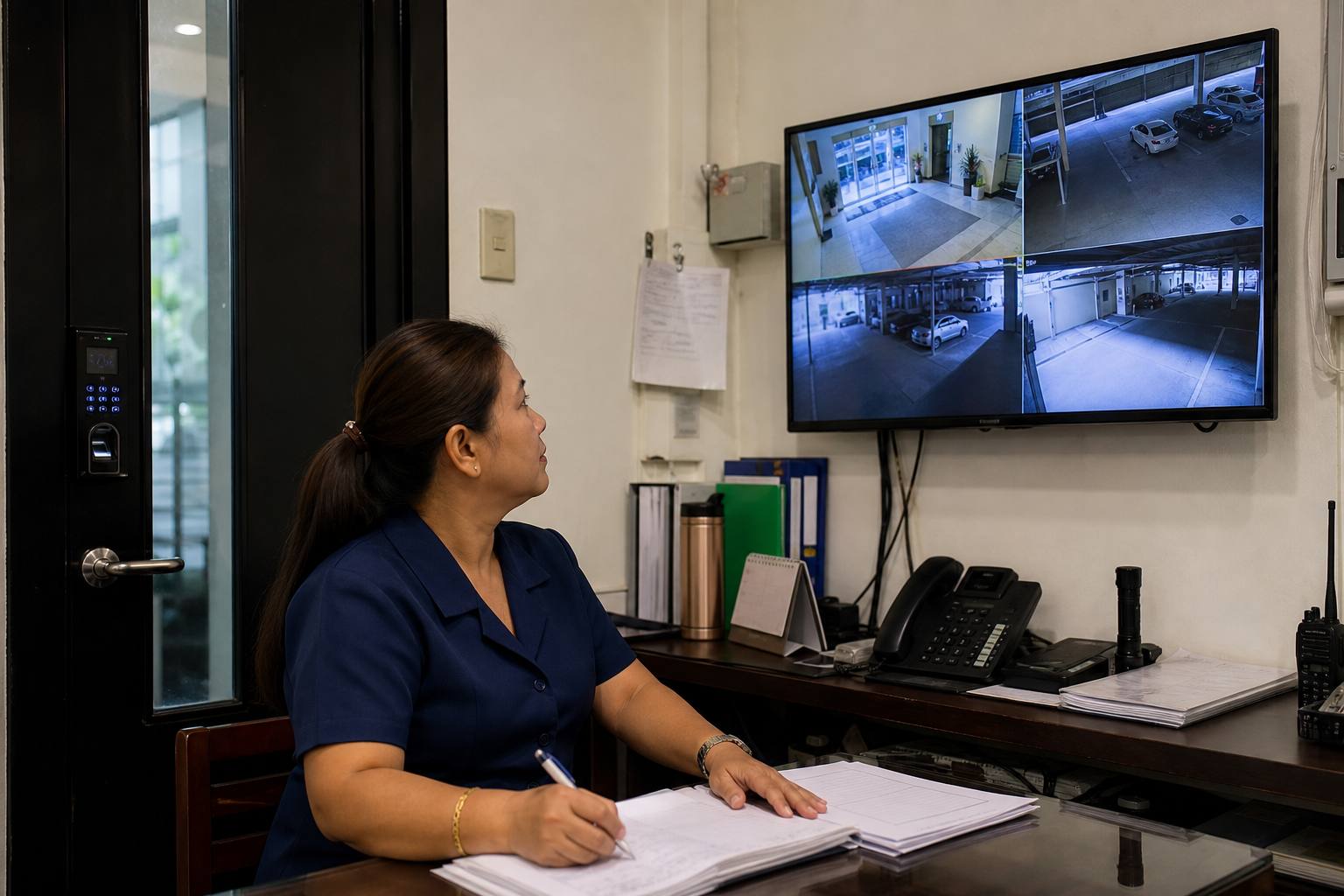
    Filipino property manager reviewing CCTV feeds and access control for a small office building.
    A practical security plan helps managers verify activity, investigate incidents, and keep operations moving.

    Business benefits beyond theft prevention

    Security is often justified by the need to prevent break-ins, but the value is broader. For offices and retail spaces, reliable protection helps maintain business continuity. If an issue is detected early, owners can respond before it affects opening hours, staff productivity, or customer appointments. For property managers, better visibility helps address tenant complaints, unauthorized access, parking misuse, and after-hours contractor activity.

    There is also a reputational benefit. A well-managed entrance, visible cameras, and controlled access send a signal that the property is professionally operated. Customers feel safer entering a shop. Employees feel more confident working early or late. Tenants see that management takes their safety seriously. Families and homeowners benefit from the same principle: peace of mind comes from knowing the system is practical, maintained, and ready.

    In many cases, after-hours security also reduces hidden costs. Lost time searching for footage, replacing locks, handling disputes, or coordinating emergency repairs can become expensive. A reliable system helps owners spend less time reconstructing events and more time solving them.

    Common mistakes to avoid

    One common mistake is buying devices separately without a plan. A camera here, a lock there, and an alarm later may create gaps if the parts do not support a clear workflow. Another mistake is placing cameras for visibility rather than evidence. A wide view may look impressive, but it may not capture the detail needed for identification or decision-making.

    Owners should also avoid overcomplicating the system. If only one person knows how to retrieve footage, change access codes, or respond to alerts, the property remains vulnerable. The best systems are secure but manageable, with roles and procedures that ordinary managers can follow.

    Practical rule: Design around the moments when no one is available to explain what happened. Your security system should provide the visibility, access history, and response path needed to make decisions quickly.

    Decision guide: questions to ask before upgrading

    • Which entrances, corridors, parking areas, stock rooms, or counters need reliable after-hours visibility?
    • Who needs access outside normal hours, and how quickly can permissions be changed?
    • Who receives alerts, and what should they do when an alarm or unusual activity is detected?
    • How long should footage be retained for business, property management, or insurance needs?
    • Can managers retrieve footage and access logs without waiting for a technician?
    • Does the system have support, maintenance, and expansion options as the property grows?

    Building a security plan that fits Metro Manila properties

    A reliable after-hours plan should begin with a site assessment. Walk the property at the times when risk is highest, not only during bright daytime conditions. Check lighting, blind spots, door hardware, parking movement, visitor flow, delivery points, and areas where staff or tenants feel uncomfortable. From there, match equipment and procedures to the real environment.

    For a retail shop, the priority may be storefront deterrence, cash-area coverage, and alarm verification. For a small office, it may be controlled employee access, reception-area monitoring, and records for weekend maintenance. For a condo or mixed-use property, it may be visitor management, common-area visibility, and coordination with guards or building administrators.

    The goal is not to install the most complicated system. The goal is to create dependable protection that people can use consistently. When equipment, procedures, and support work together, security becomes part of the property’s operating discipline.

    Plan reliable after-hours protection with Infotouch

    Infotouch helps homes, offices, retail spaces, and managed properties build practical security and safety solutions for real-world use. If you are reviewing CCTV, alarms, access control, visitor management, or integrated security for a Metro Manila property, our team can help you identify gaps, select the right setup, and design a system that supports safety, continuity, and peace of mind.

    Talk to Infotouch about your security requirements

  • Smarter Visitor Access: Reliable Security for Metro Manila Condos, Homes, and Small Offices

    Smarter Visitor Access: Reliable Security for Metro Manila Condos, Homes, and Small Offices

    Visitor access has become one of the most important everyday security concerns for Metro Manila properties. Condominiums handle riders, contractors, guests, cleaners, couriers, and service teams throughout the day. Homes receive more online deliveries than ever. Small offices and retail shops need to welcome customers without exposing staff, inventory, or confidential areas to avoidable risk.

    Quick summary: what decision-makers should prioritize

    • Entry reliability matters as much as camera coverage. A camera that records but does not support fast verification leaves gaps at the door.
    • Visitor access is now an operations issue. Poor entry controls can delay deliveries, distract staff, and create avoidable disputes.
    • Homes and offices need layered protection. CCTV, smart locks, intercoms, access logs, lighting, and clear procedures work best together.
    • The right system should fit local behavior. Metro Manila properties need practical solutions for deliveries, rainy-season conditions, shared buildings, and mixed residential-business use.

    Why visitor access matters more now

    Security used to be discussed mainly in terms of alarms, locks, and CCTV coverage. Those remain essential, but the real pressure point for many properties is now the entrance. The doorway, lobby, gate, reception area, or loading zone is where convenience and risk meet.

    Online shopping, app-based deliveries, flexible work, short-term guests, outsourced maintenance, and shared parking have increased the number of unfamiliar people approaching homes and offices. In a busy condo, a guard may need to confirm a food delivery, a contractor, a relative, and a unit owner within the same few minutes. In a small office, the first person at the door may be an employee who is also answering calls, managing customers, or handling inventory.

    This is why reliable visitor access is not only about stopping intruders. It is about making better decisions quickly: who is at the entrance, why they are there, whether they are expected, where they are allowed to go, and what record exists if an incident needs review.

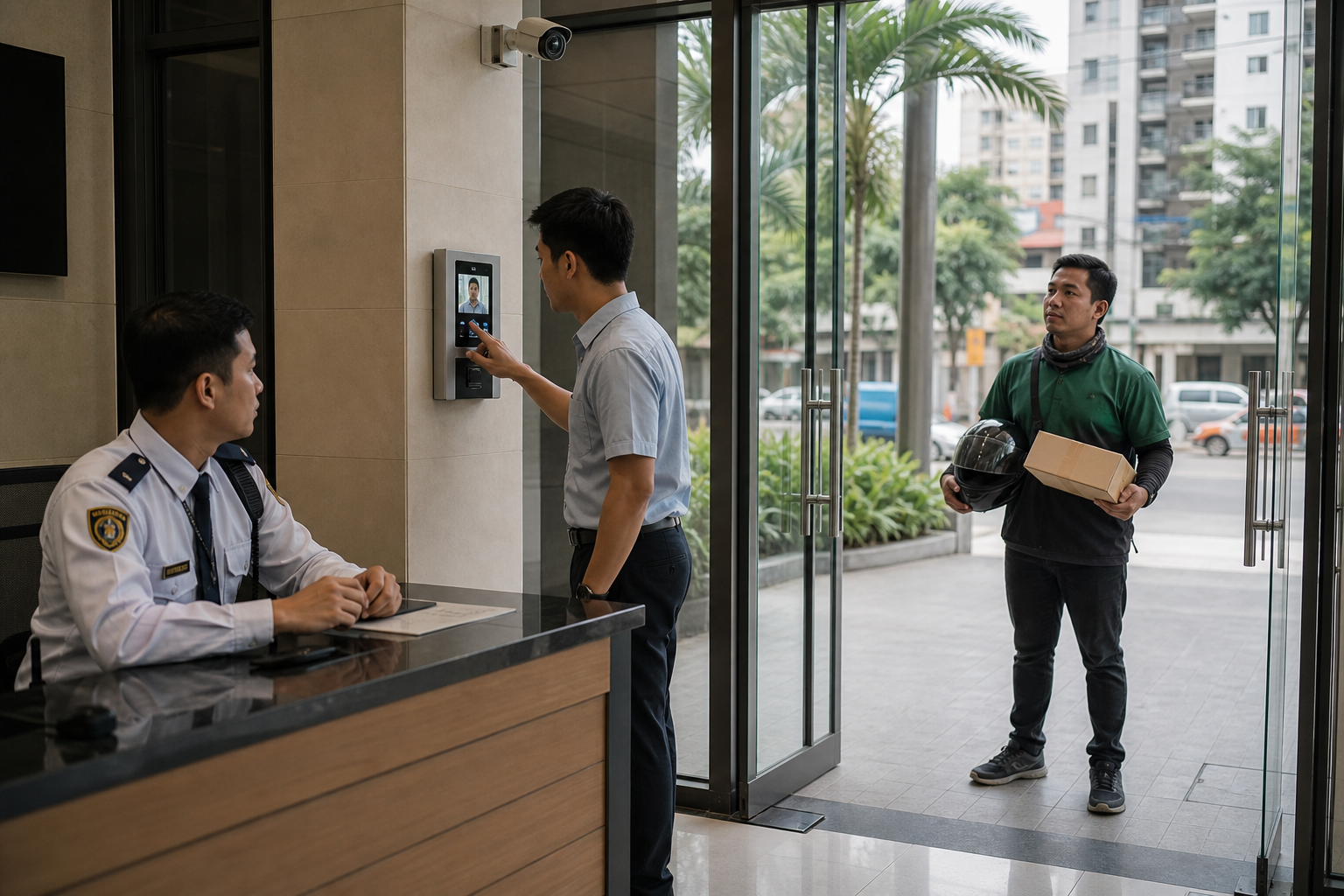
    Metro Manila condo lobby with CCTV, guard desk, video intercom, and delivery visitor access check
    Reliable visitor access combines people, process, and connected security tools at the entrance.

    Reliability is the foundation of real security

    A security system is only useful when it works consistently during ordinary, messy, real-world conditions. Metro Manila properties face power interruptions, internet issues, heavy rain, crowded entrances, rotating staff, and high delivery volume. A setup that looks impressive during installation but fails during peak hours does not provide dependable protection.

    Reliable visitor access should support three basic outcomes. First, the person in charge should be able to identify the visitor clearly. Second, the property should have a controlled way to approve, deny, or delay entry. Third, there should be a record that can be reviewed later without forcing staff to search through unclear footage or handwritten notes.

    For a household, that can mean seeing and speaking with a delivery rider before opening the gate. For a condo, it may mean pairing lobby procedures with CCTV coverage, access logs, and intercom confirmation. For a small office, it can mean allowing front-desk staff to verify visitors without leaving the reception area or exposing restricted rooms.

    The business case: fewer disruptions, clearer accountability

    Security investments are often justified by worst-case scenarios, but the daily value is usually operational. A reliable access system reduces repeated interruptions, avoids confusion between guards and occupants, and gives managers a clearer basis for decisions.

    For property managers, visitor control can reduce complaints about unauthorized access, lost packages, tailgating, and unclear responsibility. For office managers, it helps protect employees and assets while keeping legitimate visitors moving. For retail operators, it supports a safer environment for staff who may open or close the shop early, receive deliveries, or handle cash and merchandise.

    Good security also protects time. When residents or employees constantly need to walk to the gate, answer uncertain calls, or manually confirm routine visitors, productivity suffers. A practical access setup creates a smoother process while keeping control where it belongs.

    What a practical visitor access setup includes

    The strongest approach is layered, not complicated. Each layer should solve a real problem at the property rather than adding technology for its own sake.

    Clear video at the entry point

    CCTV should show faces, approach direction, packages, and surrounding activity. Placement is critical. A camera mounted too high, pointed into glare, or blocked by signage may record an event without capturing useful evidence.

    Two-way verification

    Video intercoms, door phones, or app-connected access devices help residents and staff confirm visitors before entry. This is especially useful for households, clinics, small offices, warehouses, and buildings where the person approving access may not be beside the door.

    Controlled locking and release

    Smart locks, magnetic locks, electric strikes, and gate controls should be selected based on traffic volume, emergency requirements, and the physical door or gate. The goal is not simply remote opening; it is controlled opening with a clear process.

    Logs and reviewable records

    Access records, camera timestamps, and visitor notes help resolve disputes. They also reveal patterns, such as repeated after-hours attempts, delivery bottlenecks, or areas where staff need better procedures.

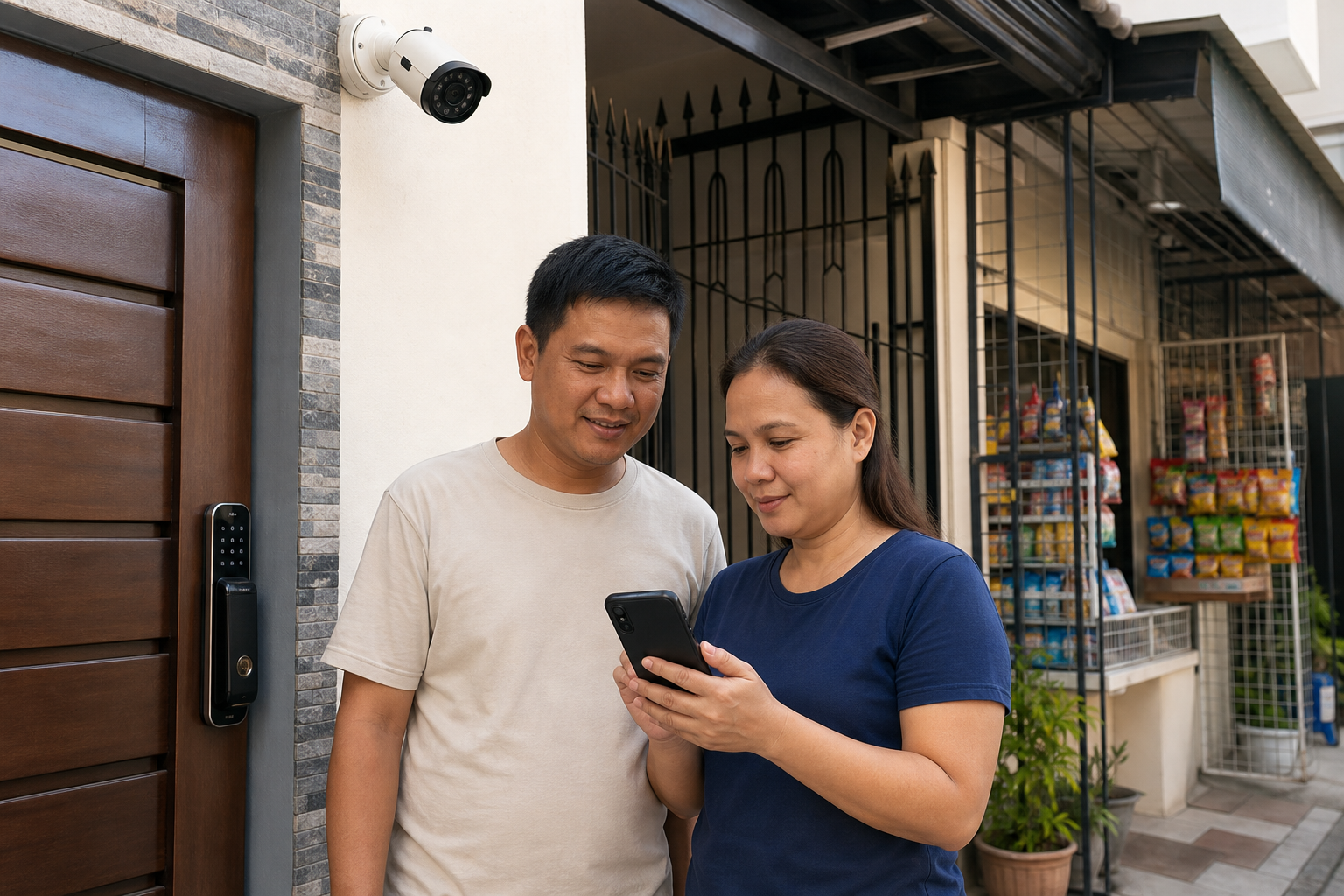
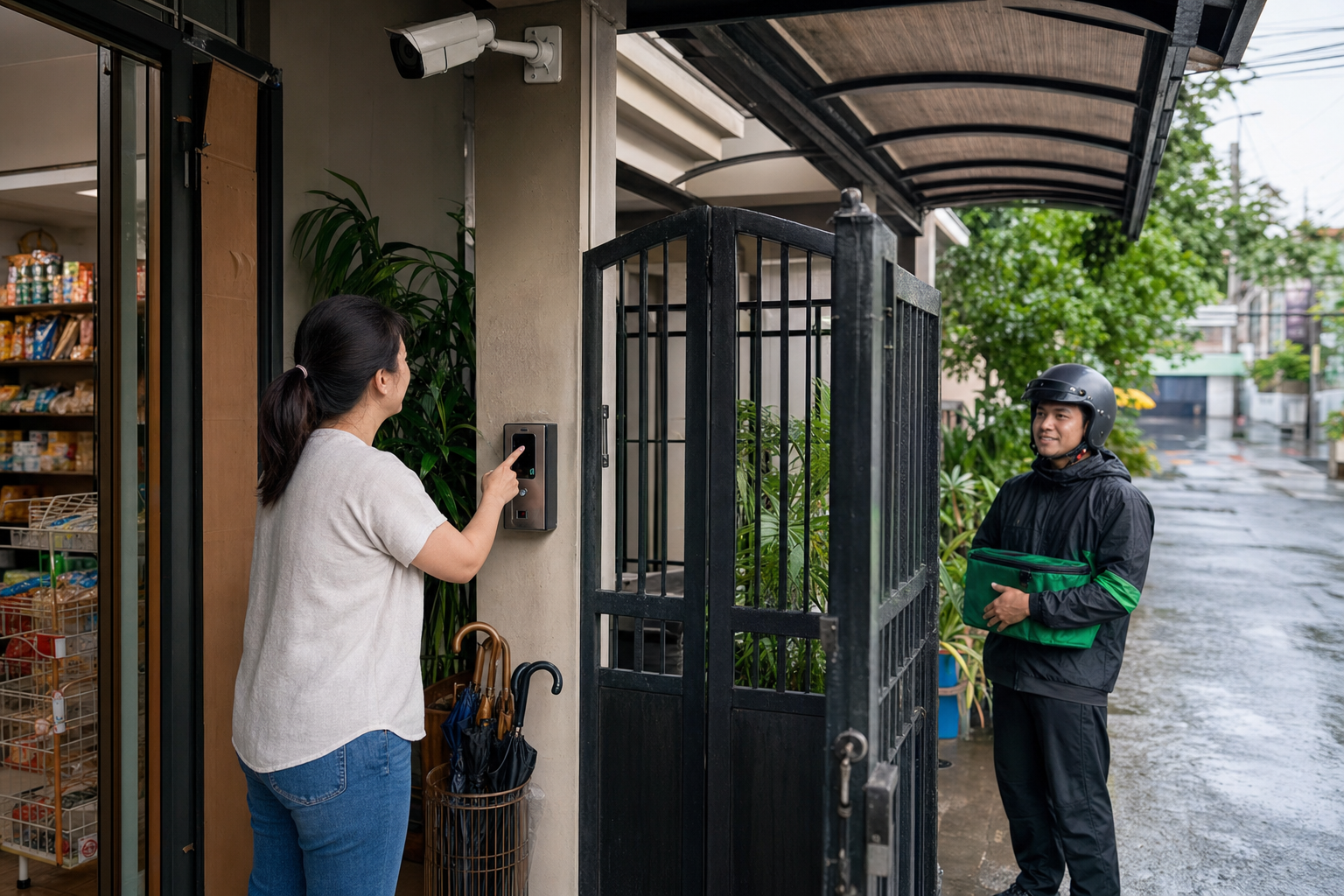
    Filipino small business owner using smart gate access with CCTV while receiving a delivery in Metro Manila
    For homes, shops, and small offices, entry-point visibility helps make everyday deliveries safer and more controlled.

    Guidance for homes, condos, and small offices

    For homeowners and families, the most useful systems are simple enough for daily use. A gate camera, video doorbell, smart lock, or intercom can help protect children, helpers, elderly family members, and deliveries without requiring everyone to be security experts.

    For condominiums and managed buildings, the priority is coordination. Lobby guards, residents, admin staff, and property managers need a shared process. Technology should reduce judgment calls, not create new confusion. Camera views, visitor logs, elevator or floor access rules, and delivery holding areas should support the same policy.

    For offices and retail spaces, visitor access should protect both people and operations. Reception areas, stock rooms, back offices, cash points, server cabinets, and employee-only areas should not depend on a single unlocked door. Even a small business can benefit from controlled entry, clear camera coverage, and an incident review process.

    Practical decision checklist

    • Map your visitor types: residents, employees, clients, riders, suppliers, contractors, cleaners, and emergency services.
    • Identify the most vulnerable entry points: gates, lobby doors, parking access, service entrances, stairwells, and delivery areas.
    • Check image quality at real times of day: morning glare, evening darkness, rain, and peak traffic can change what cameras capture.
    • Define who can approve access: avoid informal arrangements that depend on whoever happens to answer first.
    • Plan for downtime: confirm backup procedures for power, internet, device failure, and staff turnover.
    • Choose systems that can scale: today’s single gate may become tomorrow’s multi-door, multi-camera, multi-user environment.

    Common mistakes to avoid

    One common mistake is buying devices separately without considering how they work together. A camera, lock, and intercom may each function on its own but still fail to create a dependable access process. Another mistake is focusing only on the main entrance while ignoring parking, service doors, and side gates where incidents often occur.

    Some properties also underestimate training. If guards, staff, residents, or family members do not know when to deny entry, how to verify a visitor, or how to review footage, the technology cannot deliver its full value. Good implementation includes clear rules, usable controls, and practical documentation.

    Reliable security supports peace of mind and continuity

    The best visitor access systems are not disruptive. They quietly make everyday decisions safer, faster, and more accountable. They help families feel more confident at home, support property managers in enforcing building rules, and allow businesses to operate with fewer security distractions.

    In Metro Manila and nearby areas, where residential, commercial, and delivery activity often overlap, entry-point reliability is now a practical requirement. Properties that modernize their access control are better prepared for daily operations, unexpected incidents, and future growth.

    Plan a security setup that fits your property

    Infotouch can help homeowners, offices, building administrators, and business owners design practical security solutions for real Philippine environments, from CCTV and video intercoms to smart locks, access control, and integrated safety systems.

    Whether you are upgrading a condo lobby, improving a family home gate, or securing a small office or retail shop, our team can help you assess entry risks and choose reliable technology that supports everyday operations.

    Contact Infotouch for a security consultation

  • Always-On Security for Metro Manila Homes and Offices: Building Protection That Keeps Working

    Always-On Security for Metro Manila Homes and Offices: Building Protection That Keeps Working

    Security for homes, offices, and managed properties in Metro Manila is no longer a simple question of installing a camera and hoping it records when needed. Families, office managers, and business owners now depend on security systems to support everyday continuity: safe access for staff and visitors, evidence when incidents occur, protection during rainy-season disruptions, and confidence when sites are managed remotely.

    Quick summary: what decision-makers should prioritize

    • Reliability first: choose security systems that continue working during power, network, weather, and human-process disruptions.
    • Integrated protection: combine CCTV, access control, alarms, sensors, storage, and user permissions instead of relying on one device type.
    • Operational value: use security not only to deter incidents, but also to improve accountability, response time, visitor management, and business continuity.
    • Scalable design: plan for homes, offices, warehouses, clinics, and mixed-use properties that may expand or change usage over time.
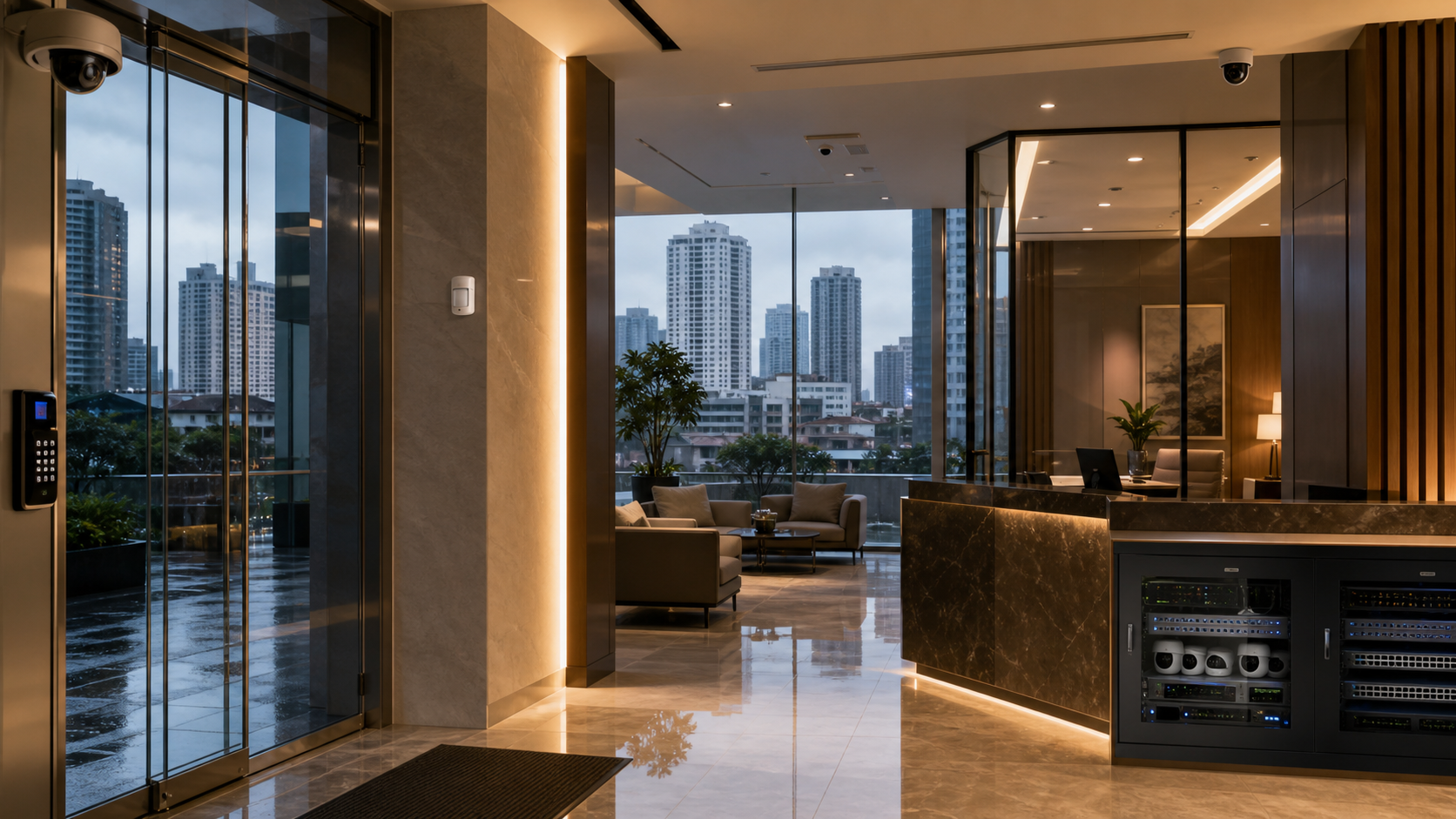
    Modern Metro Manila lobby and office reception with CCTV, access control, and network security equipment
    Reliable security is no longer just about cameras. It is about integrated protection that keeps homes, offices, and shared properties operating with confidence.

    Why security reliability matters more now

    Metro Manila properties are becoming more connected, more mobile, and more dependent on digital operations. Many households manage deliveries, helpers, contractors, children, elderly family members, and remote-work schedules from the same address. Offices are handling hybrid work, flexible shifts, third-party vendors, after-hours maintenance, and valuable IT assets. Property managers must monitor shared spaces without being physically present all day.

    In this environment, a security system is part of the property’s operating infrastructure. If it fails during an outage, stores only partial footage, sends too many false alerts, or cannot identify who entered a restricted area, the result is not just inconvenience. It can affect safety, insurance documentation, employee confidence, customer trust, and the ability to make fast decisions after an incident.

    Reliability also matters because modern risks are not limited to break-ins. Decision-makers now need visibility over unauthorized access, package loss, workplace disputes, vandalism, equipment damage, perimeter movement, fire and environmental alarms, and unusual activity in parking areas or common corridors. A strong system provides useful evidence and fast notification without overwhelming the people responsible for the site.

    From standalone devices to a dependable security ecosystem

    A common mistake is to treat security as a collection of separate purchases: a few cameras, a door lock, a basic alarm, and maybe a recorder. That approach can work for simple monitoring, but it often fails when an incident requires a clear timeline. The better approach is to design a connected security ecosystem where every component supports the others.

    For a home, this may mean clear camera coverage at entrances, a dependable smart lock or access control point, motion sensors in strategic zones, and secure remote viewing for family decision-makers. For an office, it may mean entry logs, reception-area surveillance, server room restrictions, visitor procedures, alarm notifications, and retention policies for recorded video. For a warehouse or property site, it may include perimeter cameras, loading-bay monitoring, flood-prone area checks, and role-based access for guards, supervisors, and administrators.

    The goal is not to make the site feel complicated. The goal is to make protection practical. The right setup gives authorized people access when they need it, alerts the right team when something changes, and preserves records in a way that can be reviewed quickly and responsibly.

    Protection, peace of mind, and continuity for homes

    For homeowners and families, reliable security is about more than crime prevention. It supports the everyday rhythm of the household. Parents may want to confirm that children arrived safely. Families may need to coordinate deliveries or service providers. Elderly relatives may need safer entry processes. Home-based professionals may need to protect work equipment and confidential documents.

    Reliability is especially important when the home is unoccupied, during travel, or when multiple people have access. A well-planned system reduces uncertainty by providing controlled entry, event-based alerts, and recorded evidence. It also helps avoid overreaction: instead of relying on rumors or incomplete information, families can review what actually happened.

    Good home security should be easy to use but difficult to bypass. Cameras should be placed where they capture meaningful activity without invading private areas. Access controls should support practical routines while limiting unnecessary key duplication. Alerts should be configured to reduce false alarms, because a system that constantly interrupts users is eventually ignored.

    Operational continuity for offices and managed properties

    For businesses, reliable security supports productivity and governance. Office managers need to know whether doors were locked, who entered sensitive rooms, whether deliveries were received, and how incidents unfolded. Business owners need confidence that assets, people, and data-related areas are protected even when they are away from the site.

    Security also affects workplace professionalism. A clear access process improves visitor experience. Visible but well-positioned cameras reinforce accountability. Documented entry logs help resolve disputes. Networked systems can reduce dependence on manual reporting and make supervision more consistent across locations.

    For property managers and facility teams, the value is even broader. Security systems help coordinate guards, maintenance personnel, tenants, contractors, and emergency response. When footage and access logs are available quickly, teams can avoid guesswork and respond with evidence. That is important for condominiums, small commercial buildings, clinics, schools, retail spaces, warehouses, and multi-tenant offices.

    What makes a system dependable in real-world conditions

    Dependability comes from planning for the conditions that actually affect Metro Manila properties. These include power interruptions, internet instability, heavy rain, humidity, high-traffic entrances, limited IT support, and changing user permissions. A system that looks impressive on paper but fails under these conditions will not deliver the protection expected from it.

    Decision-makers should look for several reliability factors. The system should have appropriate backup power for critical devices. Cameras and recorders should be matched to the environment, including lighting, weather exposure, and viewing distance. Storage should be sized according to the required retention period and image quality. Remote access should be secure, not dependent on weak passwords or shared accounts. Users should have clear roles so that administrators, guards, family members, and managers only access what they need.

    Maintenance is another key factor. Lenses become dirty, cables loosen, firmware ages, and network settings change. A professional setup includes documentation, testing, and periodic review. Security is not a one-time installation; it is a managed capability.

    Smarter security without unnecessary complexity

    Modern systems can offer video analytics, mobile alerts, cloud backup, access schedules, and integrations with alarms or sensors. These tools can be valuable, but only when they are configured around real operational needs. A small office does not need unnecessary complexity. A larger facility should not rely on consumer-grade shortcuts. The best solution is one that matches risk, budget, site layout, and the people who will use it every day.

    For example, a family may need simple mobile access and dependable entry-point coverage. A professional office may need separate access levels for staff, executives, cleaners, and contractors. A property manager may need a central view of multiple entry points and common areas. A business with valuable equipment may need stronger retention, clearer night visibility, and restricted access to storage or IT rooms.

    The practical advantage is better decision-making. Reliable security gives owners and managers the information they need before, during, and after an event. It helps prevent small issues from becoming larger disputes or losses.

    Practical checklist for choosing a reliable security setup

    1. Map the real risks

    Identify entrances, blind spots, shared areas, storage rooms, reception points, parking spaces, and locations where incidents or disputes are most likely to occur.

    2. Define who needs access

    Separate access for owners, family members, employees, guards, tenants, contractors, and administrators. Avoid shared accounts where accountability matters.

    3. Plan for outages and poor connectivity

    Ask how recording, alarms, access controls, and remote viewing behave when power or internet service is interrupted.

    4. Set retention and evidence requirements

    Decide how long footage should be stored, who can retrieve it, and what image quality is needed for identification and incident review.

    5. Review maintenance and support

    Choose equipment and installation partners that can support testing, documentation, updates, troubleshooting, and future expansion.

    Decision point: if a security system cannot answer who entered, what happened, when it happened, and whether evidence is available, it may not be reliable enough for today’s home, office, or property-management needs.

    Build security that supports confidence every day

    The strongest security systems are not necessarily the most complicated. They are the ones that keep working, fit the site, support the people responsible for safety, and provide clear information when decisions need to be made quickly. For Metro Manila homes and offices, that reliability is becoming essential.

    Talk to Infotouch about reliable home and office security

    Infotouch helps homeowners, businesses, and property teams plan practical security solutions that match real-world requirements—from CCTV and access control to integrated monitoring, storage, and support. If you are upgrading a home, office, building, or managed property, Infotouch can help you design a dependable setup that protects people, assets, and continuity.

    Contact Infotouch for a security consultation

  • Why EV Readiness Is Becoming a Practical Advantage for Homes and Offices

    Why EV Readiness Is Becoming a Practical Advantage for Homes and Offices

    Why EV readiness matters now

    Electric vehicles are no longer a distant sustainability concept. For many households, offices, property managers, and fleet decision-makers, EVs are becoming a practical part of daily planning: where people park, how they charge, how operating costs are managed, and how a property remains attractive to modern users. In Metro Manila and nearby growth areas, the conversation is shifting from whether EVs will arrive to whether homes and workplaces are ready to support them safely, conveniently, and professionally.

    Quick takeaway

    EV readiness is becoming a practical property advantage because it improves charging convenience, supports safer electrical planning, and helps homes and offices prepare for how people will use mobility in the coming years.

    This shift matters because mobility decisions now affect property operations. A building that can support charging with clear rules, safe electrical capacity, and dependable monitoring is better prepared for employees, tenants, visitors, and families who want cleaner and more predictable transport options. EV readiness is therefore not only an environmental decision. It is an infrastructure, safety, and customer-experience decision.

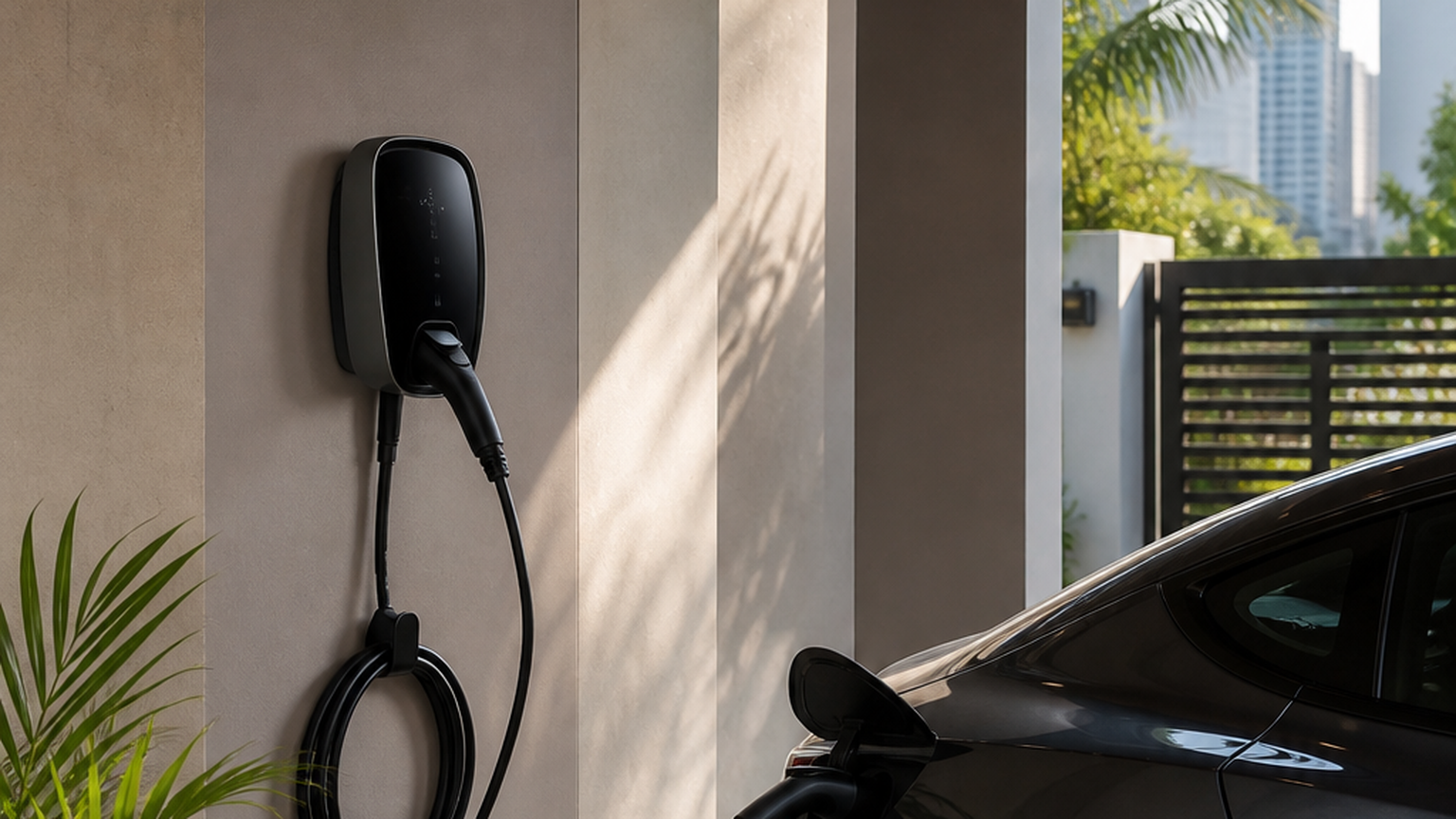
    EV readiness planning for a home or condo parking area
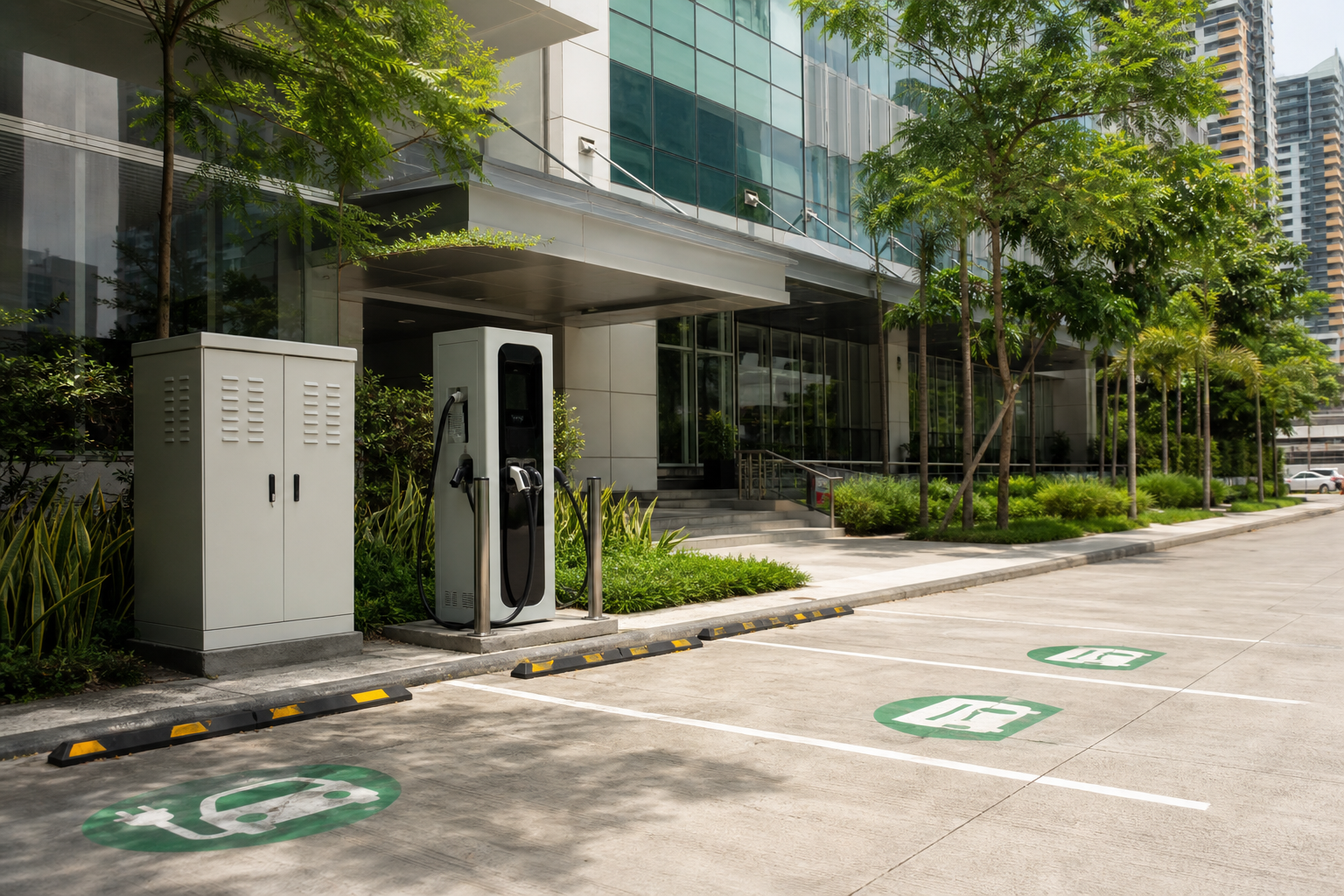
    A clean EV charging setup shows how homes and residential properties can prepare for convenient charging.

    The practical advantage is convenience

    The strongest everyday benefit of EV adoption is routine convenience. A homeowner who can charge overnight avoids many fuel-stop interruptions. A business with designated charging access can support employees, executives, tenants, clients, or light-duty service vehicles without disrupting the workday. For property managers, EV-ready infrastructure can become part of a broader service standard, similar to reliable internet, secure parking, and dependable building access.

    Convenience also reduces friction for families and teams. Instead of planning around fuel stations, users can build charging into normal parking time. For offices, that may mean scheduled charging windows for staff vehicles. For residential properties, it may mean a controlled charging area with proper access, signage, and policies. The result is a more organized experience that supports everyday mobility without turning parking management into a daily dispute.

    Charging is becoming easier to plan

    Public charging options continue to expand, but the most reliable EV experience is still built around predictable charging behavior. Homes, offices, condominiums, warehouses, and mixed-use properties can benefit from evaluating electrical capacity, parking layouts, cable routes, user access, billing rules, and safety requirements before demand becomes urgent. This does not always mean installing the most expensive equipment immediately.

    Often, the smarter step is to design a scalable path: prepare conduit routes, assign proper circuits, document load assumptions, and select hardware that can be supported and maintained over time. A small office may begin with one or two controlled charging points. A residential building may start with a feasibility review and a policy for tenant requests. A business with field teams may pilot charging for a limited number of vehicles before expanding.

    Cost control is a business issue

    For families and businesses, the appeal of EVs is closely tied to operating-cost visibility. Electricity pricing, charging schedules, and usage monitoring can be easier to track than scattered fuel receipts. Companies that operate service teams, sales routes, delivery support, or facility vehicles can use charging records to understand mobility costs more clearly. Even when a business is not ready for a full fleet transition, planning for EV charging can reduce future retrofit costs and give management better options as vehicle availability and employee expectations evolve.

    Cost savings should be evaluated realistically. The biggest advantages usually come from predictable routes, disciplined charging habits, and a clear match between the vehicle use case and the charging setup. A family that can charge at home gains convenience and better control over energy use. A business that can schedule charging during operational downtime may reduce disruption and monitor usage more accurately. Good planning turns EV charging from a loose perk into a managed operating system.

    Sustainability is becoming an operational expectation

    Sustainability is now part of how many customers, employees, tenants, and partners evaluate a property or organization. EV readiness supports lower-emission mobility and signals that a home, office, or managed facility is preparing for modern energy use. For businesses, this can strengthen ESG communication without relying on vague claims. The message is concrete: the organization is improving infrastructure, supporting cleaner transport choices, and preparing facilities for the way people increasingly expect to live and work.

    For property owners, the sustainability value is also practical. EV-ready planning can support tenant retention, improve the appeal of premium parking, and demonstrate that the building is keeping pace with modern infrastructure expectations. For companies, it can help align facilities, HR, fleet, and sustainability goals under one visible improvement.

    Safety and reliability must come first

    EV charging should be treated as infrastructure, not as a casual appliance purchase. The decision should include proper electrical assessment, load management, weather protection, cable organization, grounding, surge protection, access control, signage, and regular inspection. In offices and shared properties, managers should also think about user accountability: who is allowed to charge, how long they may occupy a bay, whether charging is free or billable, and how incidents are escalated.

    Reliability depends on more than the charger itself. Network connectivity, clear labeling, physical protection from vehicle impact, CCTV coverage in parking areas, and a maintenance contact all contribute to a safer experience. A charging bay that is easy to find, properly lit, and monitored is more useful than a poorly placed unit that creates hazards or operational confusion.

    EV charging readiness for offices and managed properties
    Office EV charging infrastructure supports safer, more organized mobility planning for businesses and properties.

    Better experience for families, employees, and tenants

    For homeowners, an EV-ready garage or parking area can support daily convenience and long-term property value. For offices, charging access can improve employee satisfaction and help attract sustainability-minded teams. For commercial properties and residential developments, EV readiness can differentiate the location in a competitive market. The point is not to turn every site into a public charging hub. The point is to match the charging solution to actual use: private home charging, staff charging, visitor charging, tenant charging, or controlled fleet charging.

    Different users need different policies. Families may prioritize overnight charging and safe cabling. Office managers may prioritize time limits and access for authorized employees. Property managers may need a request process, billing model, and maintenance schedule. Fleet operators may need reports, assigned bays, and contingency plans. A professional setup recognizes these differences before hardware is installed.

    Decision-making guidance for property leaders

    A practical EV readiness review should answer several questions. How many users are likely to charge in the next one to three years? Is the existing electrical system ready for the load? Where can chargers be installed without blocking circulation or creating hazards? What access rules are needed? Will the solution need usage reports or billing support? Who will maintain the equipment?

    These questions help prevent underbuilt installations, overloaded circuits, poor placement, and unclear operating policies. They also help decision-makers phase investments. A site may begin with electrical assessment and parking design, then add one charging point, then expand as demand becomes measurable. That phased approach keeps capital spending aligned with real adoption while avoiding expensive emergency retrofits later.

    A future-ready property is planned, not improvised

    The best EV projects are not rushed responses to a single request. They are planned as part of a property’s broader technology, safety, and operations roadmap. That roadmap may include electrical upgrades, CCTV coverage for parking areas, access management, emergency procedures, network connectivity, and maintenance schedules. When these systems are considered together, EV charging becomes easier to operate and easier to scale.

    For Metro Manila homes and offices, this joined-up planning is especially important because space, power capacity, parking flow, and security all matter. A well-planned charging area can improve the property experience. A poorly planned one can create disputes, clutter, hazards, and avoidable downtime.

    How Infotouch can help

    Infotouch supports homes, offices, and managed properties that want practical, reliable technology solutions for modern living and business operations. If you are evaluating EV readiness, charging convenience, secure parking, access control, or smart infrastructure for a Metro Manila property, Infotouch can help you assess requirements, plan the right approach, and implement solutions that are safe, scalable, and easy to manage.

    Contact Infotouch to discuss how your home, office, or facility can prepare for the next stage of everyday mobility. With the right planning, EV readiness can become more than a sustainability statement. It can become a practical advantage for convenience, cost visibility, property value, and long-term operational resilience.

    Practical decision checklist

    • Confirm available electrical capacity before adding chargers.
    • Plan safe access, parking flow, and usage policies.
    • Use reliable monitoring and support so charging stays predictable.
    • Choose scalable infrastructure that can grow with demand.
    Plan EV readiness with Infotouch

    Infotouch helps homes, offices, and property teams approach EV charging with practical planning, reliable technology, and safety-focused implementation.

    Talk to Infotouch